
How to avoid clients from publishing changes to the wrong site
Syncing a staging site to production while someone is actively editing it. Making content changes on staging, then overwriting them with a pull from production. Editing what you think is the live site and realising it was staging.
These are avoidable mistakes, but they happen – especially when multiple people are involved and sites look identical.
ToggleWP’s Staging Site Warning module adds visible indicators to the admin so everyone knows which environment they’re in.
What it shows
When the warning is active, two indicators appear:
- Login screen warning – a notice on the WordPress login page before anyone gets in
- Admin bar badge – a coloured label visible on every admin screen
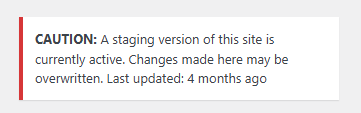

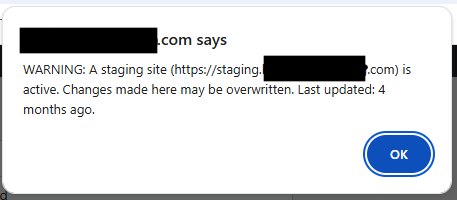
Both display customisable text. The default colour is amber, which you can change to match whatever convention your team uses.
When to use it
Enable it on staging environments before a sync or migration. During the period where the staging site is active and changes are being made, the warning makes the environment unambiguous.
You can also leave it on permanently on staging environments as a standard practice – any time someone logs in, they know exactly where they are.
Works with any host
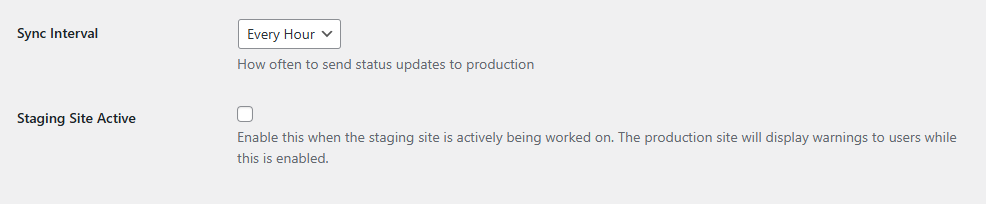
The warning is a ToggleWP module, not a host-specific feature. As long as the Production site is web accessible the staging site can notify it when active.
Zero overhead when inactive
When the module is toggled off, it adds nothing to the page – no scripts, no queries. You can leave it installed and only enable it when needed.
The cost of the mistake is always higher than the 30 seconds it takes to turn on a warning. It’s the kind of safeguard that earns its keep the first time it prevents an accidental overwrite.