
How to automatically log out idle admin sessions on client sites
WordPress’s default “Remember Me” session lasts 14 days. If a client with admin level access stays logged in on their own, or a shared computer like a library machine, that session stays active for two weeks – a significant security exposure.
ToggleWP’s Session Management module lets you set sensible session limits and gives you tools to act when something looks wrong.

Setting a session timeout
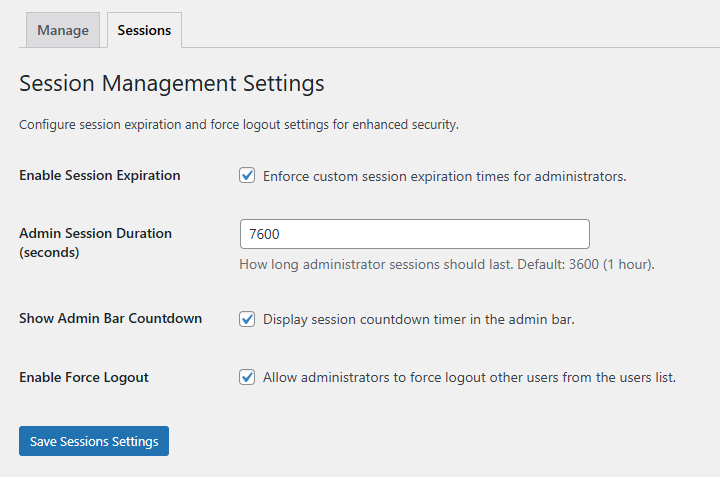
- Enable the Session Management module.
- Tick “Enable Session Expiration”
- Set a maximum session duration for admin accounts (minimum: 5 minutes, no upper limit, default is 1 hour).
- Click “Save Session Settings”.
WordPress’s default session length is overridden immediately.
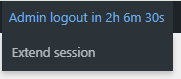
Admins get a live countdown timer in the admin bar so they can see how long they have left. The timer shifts from neutral to amber to red as it approaches expiry.
Logged in admin users would need to log out and back in again to see the correct session time out.
Extend session without losing work
An Extend Session button on the admin bar lets users reset their timer without logging out and back in – so they don’t lose unsaved work just because a page has been open for a while.
Force logout an individual user
If you see a session that shouldn’t be active – a former employee, a suspicious login – you can force logout any individual user from the All Users screen. ToggleWP sends them an HTML notification email explaining what happened.
Bulk force logout
A Force Logout bulk action logs out all selected users at once. Useful after a suspected compromise or a major site change where you want everyone to re-authenticate.
User status column
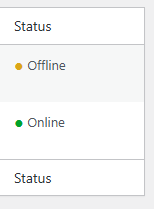
The Users list shows a User Status column indicating “Online” for currently active sessions, or “Last seen X ago” for recent activity – so you can see at a glance who’s in the site right now.
In an ideal world clients would use a dedicated Editor level user for day to day content changes, restricting admin use for specific tasks. We all know that it doesn’t always work that way and security gets pushed aside to save a few seconds.
Default WordPress session lengths were designed for convenience, not security. 30 seconds of configuration closes an exposure most site owners don’t realise they have.
You can save yourself time with the agency focused Site Sync module. Your Session Management settings can be rolled out to multiple sites in one go.